Navigating GeM registration online often presents technical hurdles, from Aadhaar-mobile OTP mismatches to PAN-GSTIN validation errors and vendor assessment delays. Resolving these errors early is critical for sellers wishing to access lucrative government procurement contracts in 2026.
This guide breaks down the most frequent obstacles encountered during registration in GeM and provides practical, expert-backed solutions to ensure your seller profile gets verified fast.
What Is Gem Registration?
GeM registration is the process of onboarding your business onto the Government e-Marketplace (gem.gov.in), an official online procurement portal launched by the Ministry of Commerce and Industry, Government of India. Established to revolutionize public buying, GeM operates under a strong legal foundation backed by Rule 149 of the General Financial Rules (GFR), 2017. Under this mandate, all Central and State Government ministries, departments, Public Sector Undertakings (PSUs), defense establishments, and local municipal bodies are legally required to purchase goods and services through the portal for any categories listed on it.
Completing your Gem online registration creates a direct digital bridge between private vendors and over 70,000+ government buyer organizations nationwide. By eliminating traditional, paperwork-intensive public tenders, online gem registration enables small traders, large manufacturers, and service providers to participate in a transparent, paperless, and cashless procurement ecosystem.
Key Features and Business Benefits of GeM
- Direct Access to B2G Opportunities: Reach public sector procurement managers directly across India without needing third-party brokers or searching for physical gem registration near me support centers.
- Exclusive Benefits for MSMEs & Startups: Micro and Small Enterprises (MSEs) enjoy purchase preferences, exemption from paying Earnest Money Deposit (EMD), and relaxed financial turnover criteria. To make sure your business profile is set up seamlessly, consult our GeM Portal Registration 2026: Quick & Easy Step-by-Step Guide.
- Standardized Buying Modes: Procurements take place via direct purchase (for orders up to ₹25,000), direct L1 comparison (up to ₹5,00,000), or competitive e-Bidding and Reverse Auctions (RA) for higher contract values.
- Guaranteed Timely Payments: GeM incorporates strict payment terms for government entities, reducing cash flow delays for sellers once goods or services are delivered and accepted.
Whether you run a sole proprietorship, partnership, LLP, or private limited company, completing your registration in gem unlocks access to billions of rupees in annual government buying. Leveraging professional GeM registration help can further ensure your seller profile and product catalogs comply fully with official government specifications from day one.
Why Is Gem Registration Important?
The Government e-Marketplace (GeM) has completely transformed public procurement in India. Under Rule 149 of the General Financial Rules (GFR) 2017, all Central Ministries, State Departments, Public Sector Undertakings (PSUs), and autonomous bodies are legally mandated to procure goods and services through the platform. For Indian business owners, completing your gem registration is no longer just an optional expansion strategy—it is a vital gateway to accessing a multi-crore public procurement market that generates hundreds of thousands of crores in annual order value on the official GeM Portal.
Navigating Gem registration online unlocks crucial financial and commercial advantages designed to empower businesses of all scales, particularly Micro and Small Enterprises (MSEs):
- Access to Multi-Crore Public Tenders: Completing your registration in gem grants you direct visibility to over 70,000+ government buyer organizations across India. From high-value custom bids to bulk product contracts, businesses can participate in lucrative competitive tenders without geographical barriers.
- EMD Waivers & Policy Support for MSMEs: Registered Micro and Small Enterprises with a valid Udyam Certificate qualify for 100% Earnest Money Deposit (EMD) waivers, purchase preferences, and reserved category tenders under the Public Procurement Policy for MSEs, drastically reducing working capital lock-in.
- Transparent Direct Procurement & L1 Buying: Government officers can make Direct Purchases up to ₹25,000, perform L1 price comparisons up to ₹5,00,000, or initiate competitive e-Bids and Reverse Auctions (RA) for larger values—ensuring a level playing field with mandatory payment release timelines (such as the 10-day rule post-Consignee Receipt and Acceptance Certificate).
Whether you manage an established enterprise or are seeking professional GeM registration help as an MSME startup, undertaking online gem registration provides your business with brand credibility, regular government purchase orders, and structured cash flow guarantees. If you are ready to setup your seller storefront, follow our comprehensive guide on GeM Portal Registration 2026: Quick & Easy Step-by-Step Guide to begin trading with government entities seamlessly.
Step-By-Step Guide To Gem Online Registration
Completing your Gem online registration requires navigating a structured three-phase onboarding workflow. Whether you are a sole proprietor, MSME, or corporate enterprise, adhering to this step-by-step procedure ensures your business profile achieves a 100% completion score without system rejection.
Phase 1: Aadhaar and PAN Verification
The first phase authenticates the authorized key person managing the seller account on the official GeM portal.
- Aadhaar/VID Validation: Provide the primary user's 12-digit Aadhaar number or Virtual ID. Ensure your mobile number is actively registered with UIDAI to receive the authentication OTP.
- PAN Authentication: Enter the proprietor’s personal PAN for sole proprietorships, or the entity’s PAN for Private Limited companies, LLPs, or partnerships. The portal verifies these details against the NSDL database instantly.
Phase 2: Primary User Account Creation
After successful identity verification, set up your core portal credentials for registration in gem.
- Create a unique User ID and establish a secure password following portal guidelines.
- Provide an official business email address and active mobile number. Complete the dual-OTP verification to secure your primary login.
- Review and accept the GeM Terms and Conditions (GTC) to unlock your seller dashboard interface.
Phase 3: Business Profile Completion
To bid on government tenders or upload product catalogs, sellers must complete all key sections of their organizational profile. For an in-depth walk-through on managing dashboard settings, refer to our GeM Portal Registration 2026: Quick & Easy Step-by-Step Guide.
- Business Constitution: Input official incorporation details, CIN/LLPIN (if applicable), and registered address proof.
- Tax & MSME Integration: Add verified GSTIN details for all active locations. Link your Udyam Registration details to automatically qualify for Micro and Small Enterprise (MSE) benefits, including exemption from Earnest Money Deposit (EMD).
- Financial & Bank Details: Submit Income Tax Return (ITR) data for verification and verify your primary business bank account using a micro-deposit transaction process.
Once all three phases display green checkmarks, your seller account is activated to publish product listings, complete vendor assessment, and submit competitive bids.
Common Challenges During Gem Registration
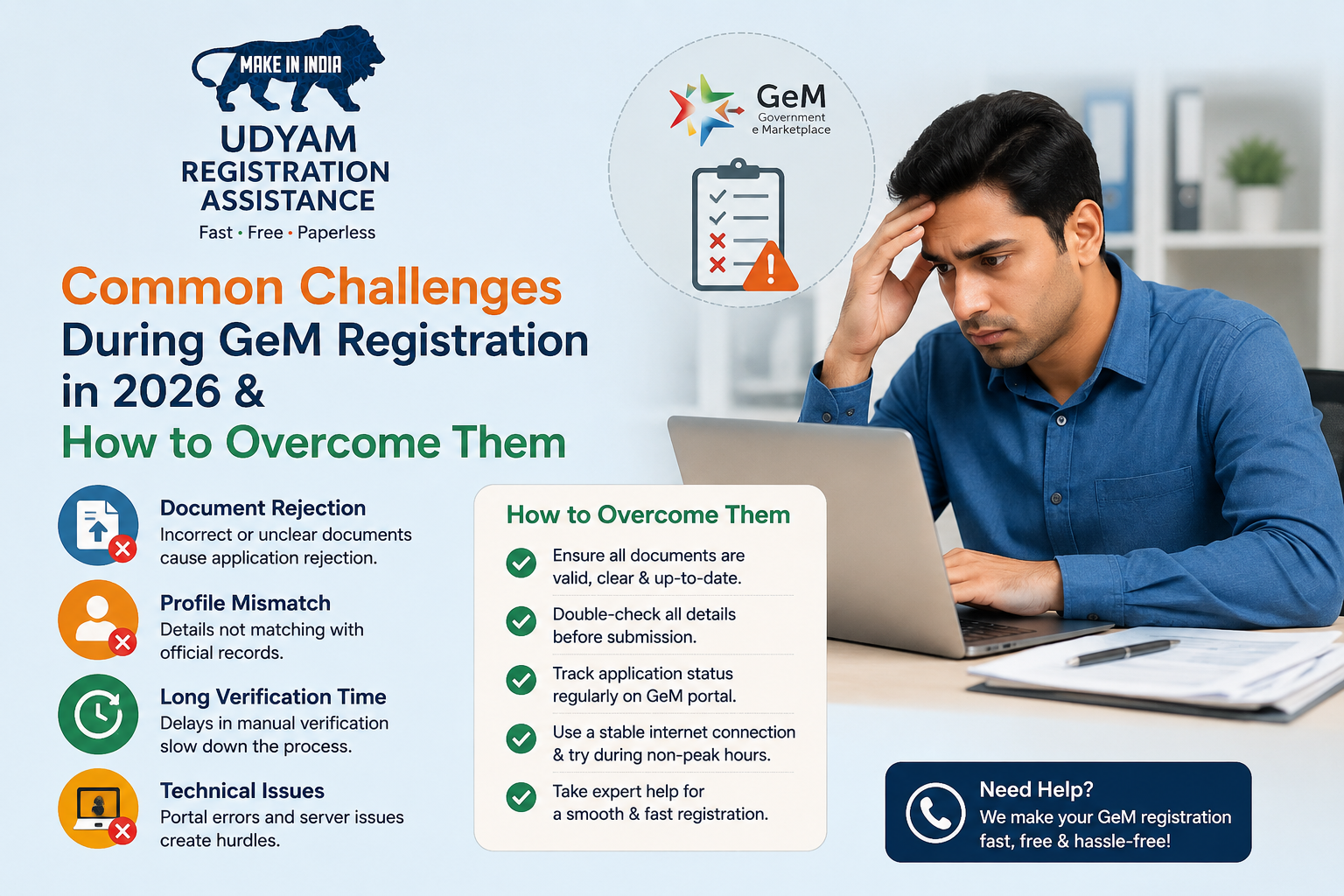
While completing your Gem registration online is designed to streamline government procurement for Indian businesses, applicants frequently encounter technical and documentation bottlenecks. Understanding these friction points allows MSMEs, traders, and OEMs to audit their credentials in advance and prevent unexpected rejections on the portal.
1. Mobile-Aadhaar Linkage and OTP Failures
The primary authorized signatory’s Aadhaar must be linked to an active mobile number to receive One-Time Passwords (OTPs) during verification. If the mobile number registered with UIDAI is inactive, or if network latency causes OTP expiration, the online gem registration workflow halts immediately. Updating your Aadhaar-linked mobile credentials prior to starting the process is essential.
2. GSTIN & PAN Address Discrepancies
The GeM portal automatically fetches business details directly from the GSTN and Income Tax databases. Any character mismatch in the legal name, trade name, or registered office address across your PAN, GSTIN, and Udyam Registration profile will trigger an automated validation error. If you are preparing your credentials, consulting our GeM Portal Registration 2026: Quick & Easy Step-by-Step Guide can help you align your official business records beforehand.
3. Financial Profile & ITR Verification Errors
Sellers must validate Income Tax Returns (ITR) for the last 2 to 3 financial years to gain exemption status or enable complete catalog creation. Common failures stem from entering incorrect ITR acknowledgment numbers, selecting the wrong Assessment Year (AY), or attempting validation when CBDT servers are undergoing routine maintenance.
4. OEM Vendor Assessment Delays
Original Equipment Manufacturers (OEMs) listing proprietary products must undergo a Quality Council of India (QCI) vendor assessment. Delays typically occur due to missing factory licenses, inconsistent production capacity proof, or delays in submitting desktop assessment evidence, stalling vendor approval on the official GeM portal by 30 to 45 days.
Resolving these bottlenecks quickly requires systematic record matching. Professional GeM registration help can assist businesses in navigating backend data sync issues and securing verified seller status without costly delays.
How To Overcome These Challenges
Navigating portal errors during online gem registration requires a systematic approach, as the system relies on real-time API verification with CBDT, MCA, and GSTN databases. If you are seeking reliable GeM registration help, follow these proven troubleshooting protocols to resolve common verification bottlenecks quickly:
1. Enforce Name-Matching Protocols
The primary cause of verification failure is character-level discrepancies across PAN, Aadhaar, GSTIN, and bank accounts. Ensure your enterprise name matches word-for-word across all government records. For instance, if your GST certificate lists "Private Limited" while your PAN shows "Pvt Ltd", the automated API fetch will reject the profile. Update your Aadhaar or GST profile prior to initiating registration in gem so that all data points align perfectly.
2. Fix GST Portal Data Syncing
If your active GSTIN shows an "Invalid" or "Unverified" status during Gem online registration, confirm that your recent tax filings (GSTR-3B and GSTR-1) are fully up to date. If you recently updated details on the GST portal, allow 24 to 48 hours for the database API to sync with the official GeM Portal. Clearing your browser cache and re-authenticating via Aadhaar OTP can also trigger a successful data refresh.
3. Select the Correct Income Tax Return (ITR) Credentials
For financial verification, select the exact ITR form corresponding to your business structure:
- Proprietorships & Partnerships: Select ITR-3 or ITR-4 (Presumptive Taxation).
- Private Limited Companies & LLPs: Select ITR-6 along with audited financial metrics.
Enter the precise 15-digit ITR Acknowledgement Number corresponding to the required Assessment Year (e.g., AY 2025-26). Ensure your business PAN is actively linked with your Aadhaar on the Income Tax e-filing portal to prevent instantaneous validation drops.
4. Execute Brand & OEM Approval Protocols
To list branded products without rejection, upload a valid Trademark Registration Certificate under the correct Class (with status marked as 'Registered'). Resellers must provide a verifiable OEM Authorization Letter containing the vendor's code and validity period. Utilizing professional Gem registration services or uploading high-resolution, un-watermarked product photo proofs can speed up manual brand approval within 3 to 5 working days.
For a detailed walkthrough on setting up your seller profile without technical glitches, consult our comprehensive GeM Portal Registration 2026: Quick & Easy Step-by-Step Guide.
Understanding GeM Caution Money and Compliance Requirements for 2026
One of the most frequent friction points during Gem registration online and post-registration operations is managing the mandatory Caution Money deposit. Introduced by the government to discourage default bids and ensure seller accountability, depositing Caution Money is a non-negotiable step before you can publish products or participate in bids on the platform. If you are navigating your setup using a GeM Portal Registration 2026: Quick & Easy Step-by-Step Guide, understanding these financial and compliance rules early will save your business from sudden account freezing.
Updated Caution Money Deposit Slabs
The Caution Money requirement on the portal is strictly tied to your business's annual turnover reported in your verified Income Tax Returns (ITR) or Udyam Registration. The financial slabs for sellers in 2026 are structured as follows:
- Turnover Below ₹1 Crore: ₹5,000 mandatory deposit.
- Turnover Between ₹1 Crore and ₹10 Crore: ₹10,000 mandatory deposit.
- Turnover Above ₹10 Crore: ₹25,000 mandatory deposit.
Sellers must deposit this amount into a dedicated Caution Money account managed via integrated partner banks (such as SBI, HDFC, ICICI, or Axis Bank). Skipping this step during or immediately after your Gem online registration will prevent you from accepting direct orders or submitting L1 bids.
Key Compliance Rules to Prevent Account Freezing
Setting up your account with expert GeM registration help is only the first step; maintaining active seller status requires strict adherence to system-enforced compliance metrics. GeM enforces automated checks, and failure to meet them leads to account suspension or penal deductions from your Caution Money balance:
- Maintaining Minimum Balance: If a penalty is levied due to a delivery delay or contract breach, your Caution Money balance drops. You must top it up back to your mandatory slab threshold within 15 days, or your seller account will be frozen automatically.
- Regular Profile & Tax Validation: Ensure your GSTIN status remains active and annual ITR data is synchronized continuously. Discrepancies between PAN, GST, and MSME credentials trigger compliance red flags during automated system audits.
- Timely Transaction Fee Payment: For orders exceeding threshold values (such as primary direct purchases or bid fulfillments over ₹5 Lakhs), sellers must clear transaction fees promptly to keep catalog listings live.
To review current terms of seller compliance and account management policies, sellers can access the official portal directly at https://gem.gov.in.
Increase Your Reach With Expert Gem Registration Help
Navigating public procurement requires strict adherence to portal compliance. Many Indian business owners attempting Gem registration online face initial setbacks due to mismatched GST parameters, invalid ITR validations, or rejected brand approvals. Securing professional GeM registration help bridges these technical gaps, ensuring your seller profile is verified efficiently and ready for high-value government tenders without technical bottlenecks.
How Professional Gem Registration Services Accelerate Seller Onboarding
Engaging dedicated advisors for your Gem online registration optimizes your onboarding workflow through three critical touchpoints:
- Document Validation & Error Prevention: Experts pre-audit your essential credentials—including Aadhaar-linked mobile numbers, PAN details, active GSTIN, and Udyam certification—preventing common verification failures during your initial registration in gem.
- Streamlined Brand Approval & OEM Assessment: Submitting a brand request requires precise trademark classification (Class 1 to 45) and correct Quadrant selection. Professional assistance helps manufacturers and resellers secure OEM status or claim Vendor Assessment exemptions available for DPIIT-recognized startups and registered MSMEs.
- Optimized Catalog & SKU Management: Uploading product or service SKUs with compliant HSN/SAC codes, precise technical parameters, and structured pricing ensures your catalog qualifies for Direct Purchases (up to ₹25,000), L1 bidding, and Custom Bids.
Whether you are seeking localized assistance through gem registration near me queries or looking for virtual support, specialized Gem registration services eliminate month-long approval delays. If you want to understand the complete portal configuration steps yourself, consult our GeM Portal Registration 2026: Quick & Easy Step-by-Step Guide.
By establishing a fully compliant vendor profile on the official Government e-Marketplace (GeM), your enterprise gains immediate visibility to over 70,000+ government buyer organizations across India.
Ready To Register On Gem? Connect With Experts Today!
Navigating the public procurement ecosystem on the Government e-Marketplace opens up lucrative annual opportunities across central ministries, state departments, and PSUs. However, a single typographical error during PAN-Aadhaar validation, mismatched ITR details, or an incorrect turnover declaration can lead to immediate profile rejection or account suspension under official portal guidelines. Securing professional GeM registration help ensures your business clears mandatory background verifications without unexpected compliance delays.
Why Seek Professional GeM Registration Services?
Completing your Gem online registration independently often presents complex technical bottlenecks, especially when syncing your Udyam Certificate, GSTIN, and Bank Mandate details. Experienced advisory services streamline the entire onboarding lifecycle through dedicated support:
- Zero-Error Verification: Real-time cross-checking of company credentials against the official GeM portal database to eliminate authentication failures.
- OEM & Brand Approval: Specialized guidance for Original Equipment Manufacturers (OEMs) and authorized resellers to upload registered trademarks, vendor assessment reports, and product catalogs accurately.
- Caution Money & Account Setup: Step-by-step assistance in setting up your Primary User account, configuring the GeM Pool Account (GPA), and depositing the required Caution Money based on your audited turnover.
- MSE Exemption Benefits: Comprehensive assistance for micro and small enterprises to claim valid exemptions on Earnest Money Deposits (EMD) and vendor assessment fees.
Whether you are establishing a primary seller account for the first time or reviewing the baseline process through our GeM Portal Registration 2026: Quick & Easy Step-by-Step Guide, specialized experts handle your documentation end-to-end. By leveraging dedicated Gem registration services, you can collapse account activation timelines from weeks of trial-and-error down to just 24 to 48 hours, enabling your enterprise to start bidding on direct purchases, L1 tenders, and custom bids immediately.
Don’t let verification glitches keep your business from competing for high-value government contracts. Connect with our senior advisory team today to initiate your online registration in gem with complete accuracy and total regulatory compliance!
GeM Registration Errors, Root Causes, and Instant Resolution Steps
| Common GeM Registration Error |
Root Cause / Trigger |
Validation Document Required |
Instant Resolution Step & Turnaround Time |
| Aadhaar-PAN Name Mismatch |
Spelling differences, middle name omissions, or DOB discrepancies between UIDAI and Income Tax databases during online GeM registration. |
Aadhaar Card, PAN Card |
Correct details on NSDL/UIDAI portal prior to profile creation, or seek GeM registration help to align primary user profile. (Turnaround: 24–48 Hours) |
| OEM / Vendor Assessment Failure |
Applying as an Original Equipment Manufacturer (OEM) without valid brand ownership or proper MSME/NSIC exemption credentials. |
Udyam Registration Certificate, BIS/ISO License, Trademark Certificate |
Upload active Udyam certificate for assessment exemption, or complete mandatory RITES vendor assessment via GeM registration services. (Turnaround: 5–7 Working Days) |
| Caution Money Deposit Rejection |
Bank account name mismatch with GST registration, or insufficient Caution Money balance (₹5,000 to ₹25,000 depending on turnover). |
Cancelled Cheque with printed firm name, Bank Passbook |
Link a primary current bank account registered under the exact GST entity name and deposit required threshold via net banking. (Turnaround: Instant to 24 Hours) |
| ITR / Financial Data Fetch Error |
PAN not linked to the e-Filing portal, or non-filing of ITR for the preceding 2 financial years for registration in GeM. |
ITR-V Acknowledgments (Last 2 Years), Audited Balance Sheets |
Validate PAN registration on the e-Filing portal and verify active GSTIN status before fetching automated financial data. (Turnaround: Instant) |
| Class 3 DSC / OTP Authentication Error |
Unlinked Aadhaar mobile number, expired Digital Signature Certificate (DSC), or browser java applet compatibility failure. |
Class 3 Signing & Encryption DSC, Aadhaar-linked Mobile Number |
Update primary contact at an Aadhaar Kendra or register an active Class 3 DSC using a GeM-supported web browser. (Turnaround: 1–3 Hours) |
| Updated: August 2026 |
Frequently Asked Questions
Who is eligible to complete GeM registration online as a seller?
Any seller, manufacturer, service provider, or authorised reseller offering goods or services can register on the Government e-Marketplace. This includes proprietorships, partnerships, LLPs, private limited companies, public limited entities, self-help groups, and registered MSMEs. Primary users must possess a valid Aadhaar or PAN linked to an active mobile number to initiate online GeM registration.
Source: Government e-Marketplace (GeM)
What documents are required for online GeM registration?
Essential documents for online GeM registration include the applicant's PAN card, Aadhaar linked to an active mobile number, GSTIN registration certificate, active bank account details with a cancelled cheque, and business incorporation proof. Additionally, MSME vendors should keep their Udyam Registration Certificate and income tax return details ready to overcome common registration validation challenges seamlessly.
Source: Government e-Marketplace (GeM)
How long does the GeM registration process take?
The basic seller profile creation during online GeM registration takes about 15 to 30 minutes if all required details and OTP verifications are readily accessible. However, complete vendor assessment, brand approval, and product listing verification can take between 2 to 7 working days, depending on profile accuracy and compliance approval timelines.
Source: Government e-Marketplace (GeM)
Can I update my business details after completing registration in GeM?
Yes, sellers can update their business details on the portal after completing registration in GeM. Profile updates such as bank details, turnover numbers, address changes, and additional product categories can be managed through the seller dashboard. Certain critical changes, like PAN or business constitution updates, may require re-verification or additional documentation approval.
Source: Government e-Marketplace (GeM)
What steps should I take if my GeM registration application gets rejected?
If your GeM online registration faces rejection or profile suspension, review the rejection reasons provided in your seller dashboard notification. Common challenges involve mismatched PAN or GST details or incorrect document uploads. Correct the discrepancies, update verified documents, and resubmit your profile or contact professional GeM registration services and official GeM helpdesk support for resolution.
Source: Government e-Marketplace (GeM)
Is GeM registration free of cost for sellers?
Yes, primary GeM registration online is completely free of cost on the official portal. The government does not charge any official fee for account creation or profile registration. However, sellers must deposit a refundable caution money amount based on their annual turnover to participate in bids and catalogue listings on the platform.
Source: Ministry of Commerce and Industry
How much caution money is required during GeM registration?
Caution money requirements on GeM depend on seller turnover. Micro and Small Enterprises (MSEs) typically deposit ₹5,000, while sellers with turnovers between ₹1 Crore and ₹10 Crores deposit ₹10,000. Sellers with annual turnovers exceeding ₹10 Crores must deposit ₹25,000. This refundable deposit ensures compliance with marketplace guidelines during government procurement.
Source: Government e-Marketplace (GeM)